
QR Code Seating Chart for Weddings: Complete Guide (2026)
You've spent months planning your wedding. The flowers are ordered, the caterer is confirmed, and the venue is booked. Then someone asks: "How are guests going to find their seats?"
For decades, the answer was the same: a foam board in a frame, printed the night before, mounted near the entrance, and surrounded by a cluster of confused guests squinting at small text. In 2026, there is a better way.
QR code seating charts are quietly replacing the foam board at weddings across North America, the UK, and beyond. If you have heard of them but are not sure how they work, whether they are right for your wedding, or how to set one up, this guide covers everything.
What Is a QR Code Seating Chart?
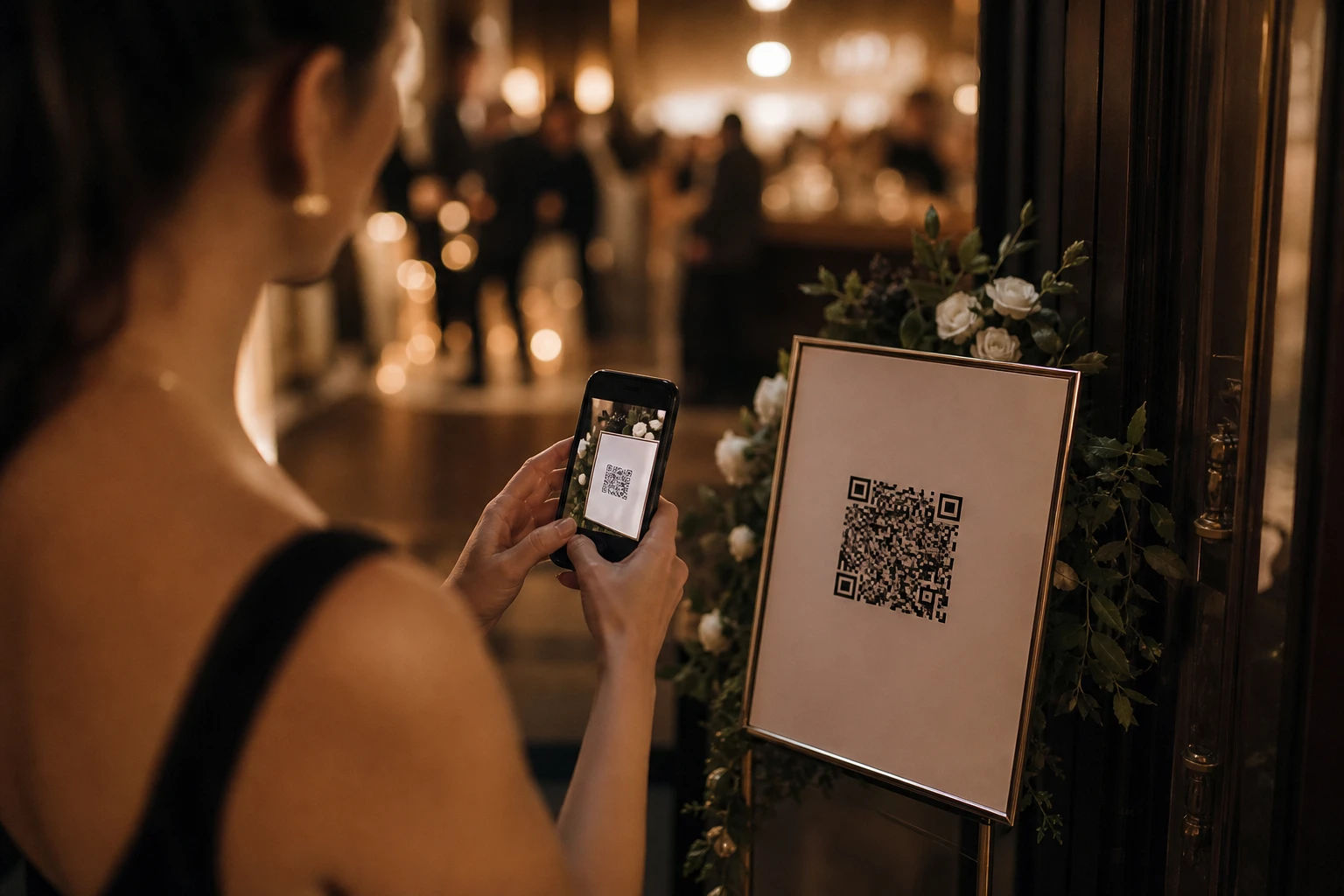
A QR code seating chart is a digital version of a traditional wedding seating plan. Instead of posting a printed list at the entrance, couples display a single QR code. Guests scan it with their phone camera, type their name, and instantly see their table number and seat assignment.
No app download. No login. No waiting in line while someone reads out names from a clipboard.
The QR code can be printed on a small acrylic sign, added to your wedding invitation suite, included on escort cards, or displayed on a screen near the entrance. It works on any smartphone, which means nearly every guest can use it.
Why Couples Are Switching to Digital Seating Charts
The traditional paper seating chart works until it doesn't. Here is where it tends to break down:
Last-minute guest list changes. Someone RSVPs late. A table gets reshuffled. You reprinted the chart three days ago and now it is wrong. With a digital seating chart, you update the list in your dashboard and the change goes live immediately.
Crowds at the entrance. A foam board creates a bottleneck. Every guest stops, searches the list, and steps away slowly while the next person pushes forward. A QR code spreads that process out. Guests scan at their own pace, anywhere.
Readability. Printed seating charts work well for 80 guests. At 200 or 300 guests, the text gets small and the experience gets frustrating. A searchable digital list lets guests type their name and find their seat in under 10 seconds.
The day-of chaos factor. Things change on a wedding day. Someone gets moved. A plus-one was not accounted for. A digital chart means you or your coordinator can fix it from a phone without printing anything.
How a QR Code Seating Chart Works (Step by Step)
The setup process is simpler than most couples expect.
1. Upload your guest list. Most digital seating platforms accept a standard Excel or CSV file. You include each guest's name and their table assignment. Some platforms let you add a personalized message for each guest too, a nice touch for close family.
2. Customize the appearance. Choose a template that matches your wedding aesthetic. You can typically adjust colors, fonts, and add a photo background or your venue's floorplan.
3. Generate your QR code. The platform creates a unique QR code linked to your event page. This code is what you will print and display.
4. Print and display. Common display options include a small acrylic or wooden sign at the entrance, a printed card on each table, a slide on a venue screen, or a note on your wedding website.
5. Guests scan on the day. Each guest points their phone camera at the code, types their name, and sees their table. The whole interaction takes about 10 seconds.
What to Look for in a Digital Seating Chart Platform
Not all QR code seating tools are the same. Here is what matters when you are choosing one.
No app required. Guests should be able to access everything directly from their browser. Asking people to download an app at a wedding entrance creates friction, and some guests, especially older family members, will struggle with it.
Real-time editing. The ability to update your guest list after the QR code is already printed is the whole point. Confirm that changes go live immediately and do not require generating a new QR code.
Guest capacity. Check that the platform supports your guest count. Most platforms tier their pricing by guest volume.
Mobile-friendly display. The guest-facing page needs to look clean and load fast on a phone. Ask to see a demo before committing.
Privacy controls. Some couples are comfortable showing full table assignments including who else is at the table. Others prefer to show only the guest's own seat. Look for platforms that let you toggle this.
Support. If something goes wrong the week before your wedding, you want to reach a human. Check what support channels are available and how responsive the team is.
QR Code Seating Charts vs. Traditional Options
Escort cards remain a popular choice and pair well with a digital seating chart. The QR code handles search at the entrance; the escort card sits at the table and doubles as a keepsake. Using both is a common combination for couples who want the digital efficiency with a physical detail guests can take home.
Common Concerns (And Honest Answers)
What about guests without smartphones?
This comes up often. The realistic answer: at most weddings, the number of guests without smartphones is very small. For those guests, a simple solution works well. Have a printed backup list at the welcome table, or assign a coordinator or family member to help them. You do not need to build your entire seating system around an edge case.
What if the WiFi at the venue is unreliable?
Most wedding venues have solid WiFi, and guests can also use mobile data. The QR code page is typically a lightweight browser page, not a large download, so it loads quickly even on slower connections. That said, it is worth testing the page at your venue during your walkthrough.
Is it too impersonal?
This is a matter of taste. Some couples feel that a QR code lacks warmth. Others find that the personalized message feature, where you can include a note for each guest when they look up their seat, actually makes it feel more personal than a printed list ever could.
Will older guests know how to use it?
Most modern smartphone cameras automatically recognize QR codes when you point them at one. No special app needed. For guests who are less comfortable with technology, a family member nearby to assist is usually enough. The search interface itself is intentionally simple: just a text box and a name.
How to Display Your QR Code at the Wedding
The physical presentation of your QR code matters. Here are options that work well.
Acrylic or lucite sign. Clean, modern, and pairs well with most wedding aesthetics. Can be ordered through Etsy or wedding stationery vendors in a size that is easy to scan from standing height.
Wooden sign. A popular rustic or garden wedding option. Works well with greenery or floral arrangements framing it.
Framed print. Simple and affordable. Have the QR code printed as a 5x7 or 8x10, frame it, and place it on an easel.
Digital screen. If your venue has a screen near the entrance, displaying the QR code there makes it highly visible and easy to scan.
Invitation or wedding website. Some couples add the QR code to the bottom of their invitation insert or on their wedding website so guests can look up their seat before they even arrive.
Beyond Seating: What Else a QR Code Can Do
One underused aspect of digital seating tools is that the QR code can do more than just show table assignments.
Many platforms let you attach additional event information to the same code. Guests scan once and can access your event schedule, the dinner menu, a venue floorplan, or a countdown to the ceremony. Some platforms also let guests upload photos from the wedding through the same QR code, giving hosts a simple way to collect candid shots without coordinating a hashtag.
If you are already creating a QR code for seating, it is worth asking whether the platform you choose can consolidate a few of these other elements too.
What to Do After the Wedding
The digital seating chart does not need to disappear after the reception.
If your platform supports photo uploads, guests may have added photos and messages throughout the evening. Most platforms package these into a downloadable ZIP file. Check your download window, as many platforms only store files for a set period after the event.
You can also export your check-in data if your platform tracked arrivals. This is particularly useful if you are working with a caterer on a per-head count or want a record of actual attendance.
Is a QR Code Seating Chart Right for Your Wedding?
It is a good fit if you have more than 75 guests, expect last-minute changes to your list, want a clean and modern entrance experience, or are working with a coordinator who is managing logistics remotely.
It is probably not necessary if your wedding has fewer than 30 guests and everyone knows each other well enough that assigned seating is barely needed.
For most weddings in the 100 to 500 guest range, the digital seating chart is the most practical and least stressful option available.
Getting Started
The fastest way to understand whether a QR code seating chart works for your wedding is to try one. Most platforms offer a free tier or a live demo you can interact with before purchasing.
Look for a platform that covers your guest count, offers real-time editing, requires no app download for guests, and has support available in the week before your event. Set it up at least two weeks before the wedding so you have time to make changes as RSVPs settle.
Your guests will spend less than 10 seconds finding their seat. You will spend far less time than that on the actual setup.
Looking for a QR Code chart solution? DigiSeats offers free and paid plans starting at $49.99, with setup in under 10 minutes. Visit DigiSeats.com to learn more.