
QR Code Digital Seating Chart for Your Wedding
Skip the crowded printed board at cocktail hour. With DigiSeats, each guest scans one QR code, types their name, and sees their table in under 3 seconds — on any phone, no app, with real-time updates right up to the wedding day.
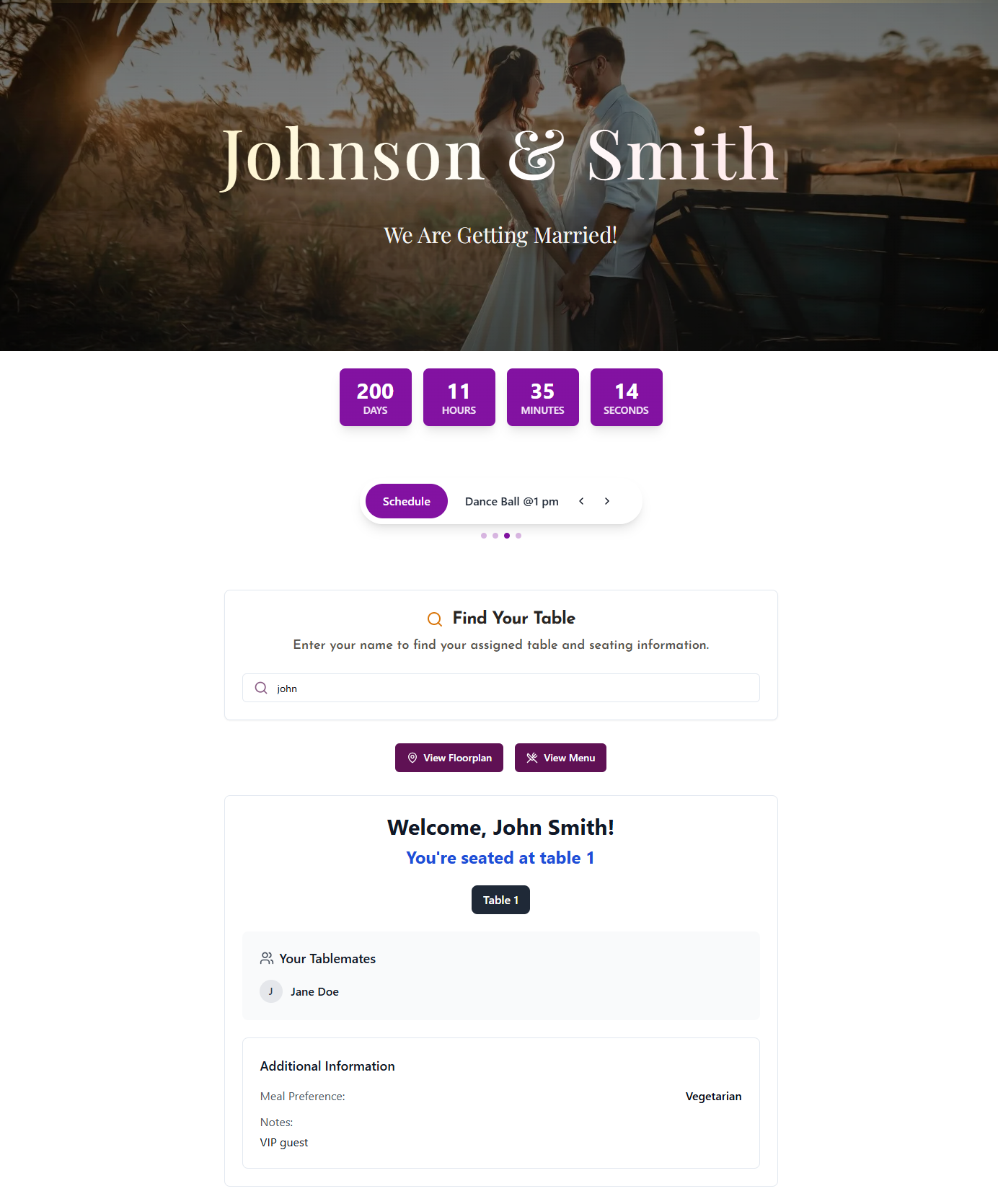
What Is a QR Code Digital Seating Chart?
A QR code digital seating chart for a wedding is a digital system that replaces the traditional printed seating board at the reception entrance. Guests scan a QR code with their phone camera, type their name into a search bar, and see their table number within seconds — no app download, no waiting in line.
How It Differs from a Printed Seating Chart
The classic wedding seating chart is one static printed board at the entrance — fine until the guest list changes, the venue lighting is dim, or 80 guests arrive in the same 20-minute window. The QR system gives each guest their own copy on their own phone, with real-time updates and no physical board to reprint. The same "please find your seat" instruction — only without the queue.
Why Couples Are Switching to QR Code Seating in 2026
The Knot's 2025 Real Weddings Study highlighted QR-based experiences as a fast-growing trend, and recent industry data shows roughly 73% of weddings now use a QR code for at least one guest touchpoint. DigiSeats brings that trend to the single most universal wedding detail: helping every guest find their seat. Learn more about the broader category on our digital seating chart page.
How a QR Code Wedding Seating Chart Works
From setup to guest scan in 5 steps — no design skills or app downloads needed.
- 1
Upload Your Guest List
Import via CSV or Excel, or add guests manually. Guest list can be updated at any time before or during the event.
- 2
Assign Tables
Assign each guest to a table number in the DigiSeats dashboard. Drag-and-drop or bulk assignment. Changes sync instantly.
- 3
Receive Your QR Code Sign
DigiSeats generates a print-ready QR code sign. Every package includes the printable file. Extended packages include a physical sign option.
- 4
Display at Your Venue
Place QR codes at the main entrance, cocktail tables, and bar area. Multiple scan points spread guest flow and eliminate bottlenecks.
- 5
Guests Scan and Find Their Seat
Guests point their phone camera at the code. A search bar opens in their browser. They type their name and see their table number in under 3 seconds.
The QR code never changes, even if the guest list does. Update assignments the morning of your wedding and every guest who scans will see the latest seating — no reprints, no crossed-out names, no stress.
Features Built for the Wedding Day
Not a generic event tool — every feature is shaped by what actually happens at a wedding reception.
Guest Name Search with Nickname Matching
Guests type 'Mike' and the system finds 'Michael.' Type 'Katie' and it finds 'Katherine.' Handles shortened names, maiden/married name variations, and hyphenated surnames automatically.
Real-Time Seating Updates
The guest list changes right up until the morning of the wedding. Update assignments from your phone at any time — the QR code stays the same. No reprinting, no stickers over crossed-out names.
QR Code Sign Included
Every DigiSeats package includes a print-ready QR code sign sized for a standard A2 or 24x36 inch frame. No Canva template needed, no graphic design required.
No App Required for Guests
The seating page opens in the guest's phone browser the moment they scan. No app store, no account, no login. Works on any smartphone with a camera, including older devices.
Anonymous View for Private Guests
High-profile guests, surprise attendees, or guests who prefer privacy can be set to Anonymous View. Their table assignment is accessible when they scan, but their name does not appear on the public list.
Wedding Event Hub (Extended)
Upgrade beyond seating to a full wedding day digital hub: venue floorplan, dinner menu, event schedule with countdown timer, and guest photo sharing gallery — all from the same QR code.
Simple, One-Time Pricing — No Subscription
Three packages for every wedding size. Pay once, use through one week after your event.
Free
Up to 50 guests
Guest name search, QR code sign file, real-time updates. Perfect for small ceremonies, bridal showers, and rehearsal dinners.
Get Started FreeStandard
Up to 500 guests · One-time
Full QR sign, CSV/Excel import, unlimited real-time list updates, Anonymous View. The choice for most weddings.
Order StandardExtended
Up to 1,000+ guests · One-time
Everything in Standard plus floorplan upload, menu display, event schedule, countdown timer, guest photo sharing gallery, and check-in tracking.
Order ExtendedOne-time payment. No subscription. No charge for list changes. QR code works from purchase date to one week after your event date.
QR Code Digital Seating Chart vs. Printed Seating Board
Same job. Very different guest experience, cost profile, and risk of last-minute disaster.
| Factor | Printed Seating Board | QR Code Digital (DigiSeats) |
|---|---|---|
| How guests find their seat | Crowd around one board at entrance | Each guest scans on their own phone — no crowding |
| Last-minute guest changes | Reprint required — $80 to $250+ per reprint | Update the dashboard — changes appear instantly, QR code unchanged |
| Time to find your seat | 30–60 seconds per guest searching the board | Under 3 seconds after scanning |
| App download required? | No | No — opens in phone browser automatically |
| Nickname / spelling matching | None — guests must find exact listed name | Automatic — 'Mike' finds 'Michael', 'Katie' finds 'Katherine' |
| Guest privacy options | All names visible to every person at the board | Anonymous View hides specific guests from the public list |
| Additional event info | Seating only | Menu, schedule, floorplan, countdown, photos (Extended) |
| One-time cost (200 guests) | $80 to $200 for printing alone | $49.99 — includes all future updates at no extra charge |
| Works at outdoor venues | Weather-dependent (paper warps, fades) | Fully digital — weather has no impact |
| Backed up if sign is lost | No — the chart is the only copy | Access from any device at any time — never lost |
How guests find their seat
Last-minute guest changes
Time to find your seat
App download required?
Nickname / spelling matching
Guest privacy options
Additional event info
One-time cost (200 guests)
Works at outdoor venues
Backed up if sign is lost
The printed board cannot be updated after the florist delivers it. The QR code can be updated from your phone ten minutes before guests arrive. That difference alone is why 73% of weddings now include at least one QR code touchpoint.
"Please Find Your Seat" — Now with a QR Code
"Please find your seat" appears on seating boards, mirror signs, and escort card tables at virtually every wedding reception. It's the universal phrase that points guests from the entrance toward their assigned table. DigiSeats is simply the digital version of that same instruction — instead of pointing to a printed board, the sign now says "scan to find your seat."
Your guests see the QR code sign as they enter. They scan it. They type their name. They find their table and head straight to their seat — no waiting, no squinting at small print, no asking the wedding coordinator where table seven is. The whole "please find your seat" experience is faster, calmer, and works the same way for every guest, from your 22-year-old cousin to your 80-year-old grandmother.
Couples Who Used DigiSeats at Their Wedding
"We had three RSVP changes the morning of the wedding. With DigiSeats I updated the dashboard from the bridal suite and not a single guest noticed. The printed board would've been a disaster."
"Our cocktail hour used to be a traffic jam at the seating board. With QR codes at the bar and entrance, every guest found their table in under 10 seconds. Our coordinator actually said it was the smoothest reception start she'd seen."
"The Extended package was worth every dollar — guests scanned for seating and stayed for the menu, schedule, and photo gallery. Felt like a full wedding app without making anyone download anything."
Frequently Asked Questions
Ready to Replace Your Seating Board?
Set up your QR code digital seating chart in 5 minutes. Free for up to 50 guests — no credit card needed.