
Find Your Seat by QR CodeThe Digital Alternative to the "Please Find Your Seat" Sign
The words please find your seat appear on wedding signs everywhere. This is the digital version — guests scan a QR code, search their name, and find their table in two seconds. No crowding, no printed board.
Last updated: May 2026
There is a moment at almost every wedding or event where the energy shifts. Guests walk through the door, look around, and suddenly realize they have no idea where to sit. If the seating chart is tucked in a corner, hard to read, or surrounded by a crowd, that moment stretches longer than it should. What was supposed to be a seamless welcome turns into a small but noticeable friction point.
That is the exact problem a QR code seating system solves. When guests can find their seat with QR code access right on their phone, the entire arrival experience changes.
More couples, planners, and event hosts are making this switch right now — not because it is trendy, but because it genuinely works better.
What Is a "Please Find Your Seat" Sign — And Why QR Code Is Better
"Please find your seat" is the phrase printed on traditional wedding seating chart signs. You've seen it on calligraphed mirrors, chalkboards, and acrylic boards at the entrance of every reception — directing guests to scan a long alphabetical list for their name, then locate their table number.
A QR code seating chart replaces that printed board with a single sign guests scan on their phone. Instead of crowding around the entrance squinting at small text, each guest privately searches their own name and sees their assigned table in two seconds.
The phrase stays — it works perfectly on the QR sign itself ("Please find your seat — scan to start") — but the experience behind it becomes faster, friendlier, and updateable in real time. If a guest list changes the day of the event, you edit the backend and every future scan shows the new seating instantly. No reprinting, no crossed-out names, no awkward huddles by the door.
Couples and planners who switch describe the same thing: a calmer arrival, a more organized first impression, and far fewer seating questions during cocktail hour.
What It Means to Find Your Seat with a QR Code
Finding a seat with a QR code means the seating information is digital and mobile-accessible. A QR code is placed at the event entrance or on signage throughout the venue. Guests point their phone camera at the code, tap the link that appears, and the seating lookup page opens in their mobile browser.
From there, guests search their name and see their assigned table and seat immediately. The process works on any smartphone without requiring an app download or an account login.
DigiSeats is built around this experience. Every event on the platform comes with a unique QR code that guests scan to access seating information on a mobile-friendly page. Learn more about how our digital seating chart works. The host manages the guest list and seating through a backend login, and any updates made before or during the event are reflected in real time.
Why Traditional Printed Boards Fall Short
Familiarity does not mean they work well under pressure.
They Create Bottlenecks
A single printed board forces everyone into the same physical spot. When guests arrive in waves, the area around the board becomes crowded quickly.
They Go Out of Date
Guest lists change. Someone cancels, a plus-one is added. Once the board is printed, changes require messy workarounds like crossed-out names or handwritten edits.
They Can Be Hard to Read
Stylish fonts look beautiful in photos but are difficult to read in dim lighting from a comfortable distance. Guests lean in close, adding to crowding.
They Require Significant Prep
Designing, printing, and setting up a large seating display takes time and money. If changes happen after order, reprinting is expensive and sometimes impossible.
A QR code seating system removes every one of these pain points.
How QR Code Seating Works on Guests' Phones
Almost everyone has scanned a QR code before. The same instinct applies at an event.
See the QR Sign
Guest arrives and sees a QR code sign near the entrance.
Scan with Camera
Guest opens the phone camera and points it at the QR code.
Tap the Link
A link appears on screen and the guest taps it.
Page Opens
The event seating page opens in a mobile browser.
Search Name
Guest types or searches their name and finds their table.
No app is required. No Wi-Fi login is needed. For guests who are less comfortable with technology, a quick verbal prompt from a greeter is usually enough.
Customer Stories That Show the Difference
Real event situations experienced by real hosts.
Rachel & James
220-Person Wedding Reception
They ordered a large printed mirror seating chart. Within five minutes of guests arriving, the entry area was packed. Guests stood shoulder to shoulder trying to read names. Rachel was pulled away from her photographer to answer seating questions.
A QR code system would have let each guest search their own name privately instead of reading from one big list in a crowd.
Omar
Corporate Dinner for 350 Guests
The seating plan changed three days before the event. Two key executives had travel conflicts and sent different guests. Seating needed adjustment to keep client relationships intact.
With DigiSeats, those updates would have been made in the backend and reflected immediately — without reprinting anything.
Cynthia
Annual 400-Person Charity Gala
Sponsors had reserved tables and name placement carried real social weight. The entry area was narrow, and guests crowded around the chart before moving in. The first twenty minutes of every gala felt chaotic.
Multiple QR code signs placed around the venue would have spread guests out during the seating lookup.
Why DigiSeats Is the Ideal Solution
A dynamic, mobile-friendly system for any type of event.
Weddings
Guests scan and find their seat quietly. Couples can update the guest list right up to the day of the event. Templates match the wedding's color palette and style.
Corporate Events
Last-minute seating changes happen frequently. The ability to update seating digitally is a significant operational advantage. The Extended package includes real-time check-in tracking.
Galas & Fundraisers
Large events with assigned sponsor or donor tables benefit from smooth entry flow. Upload event menus, schedules, and floorplans so guests have everything in one place.
Private Celebrations
Birthdays, anniversaries, family reunions, school banquets — guests find their seat quickly, the event starts on time, and the organizer avoids fielding seating questions.
Two Packages, One Seamless Experience
Both packages include QR code seating, real-time updates, and a self-managed backend.
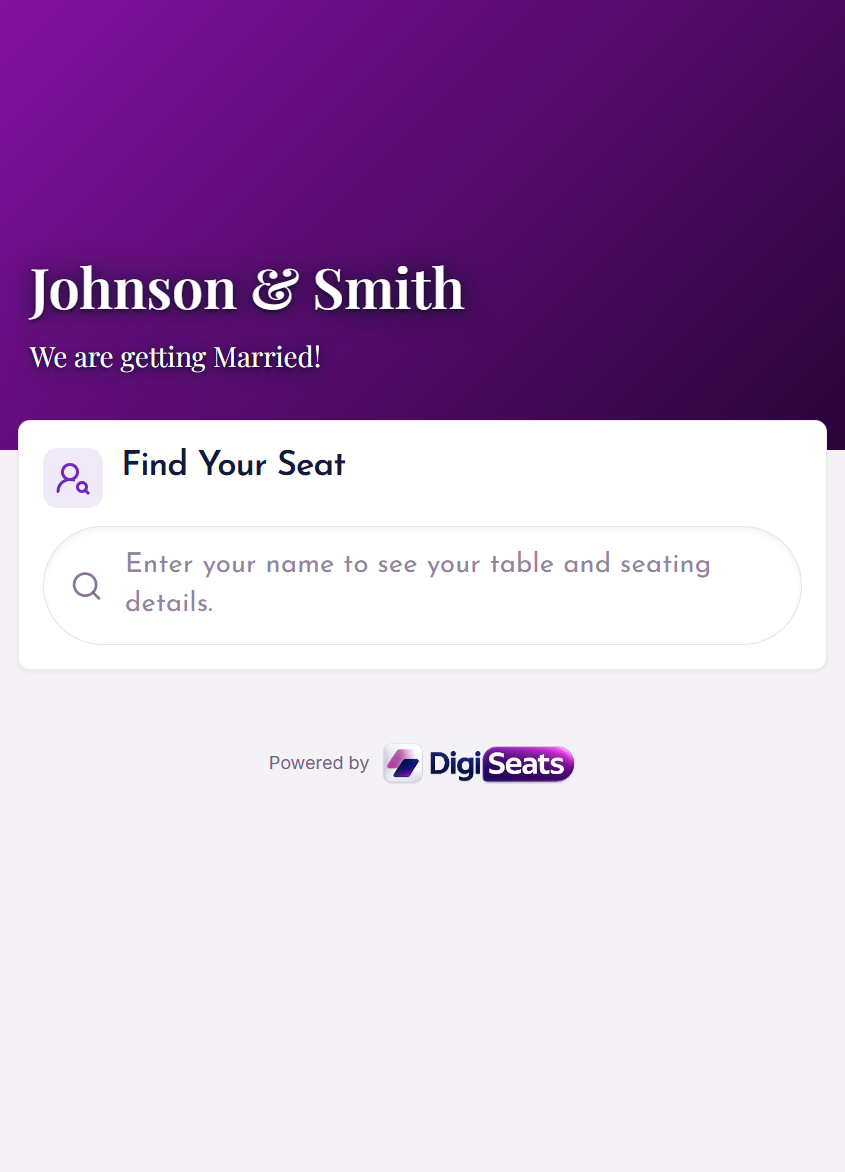
Standard Package — $49.99
- Up to 500 guests
- QR code integrated & operated
- Anonymous view for guest privacy
- 5 pre-made templates, customizable colors & fonts
- Search & filter by name
- Self-managed backend with real-time updates
- Tablemate management
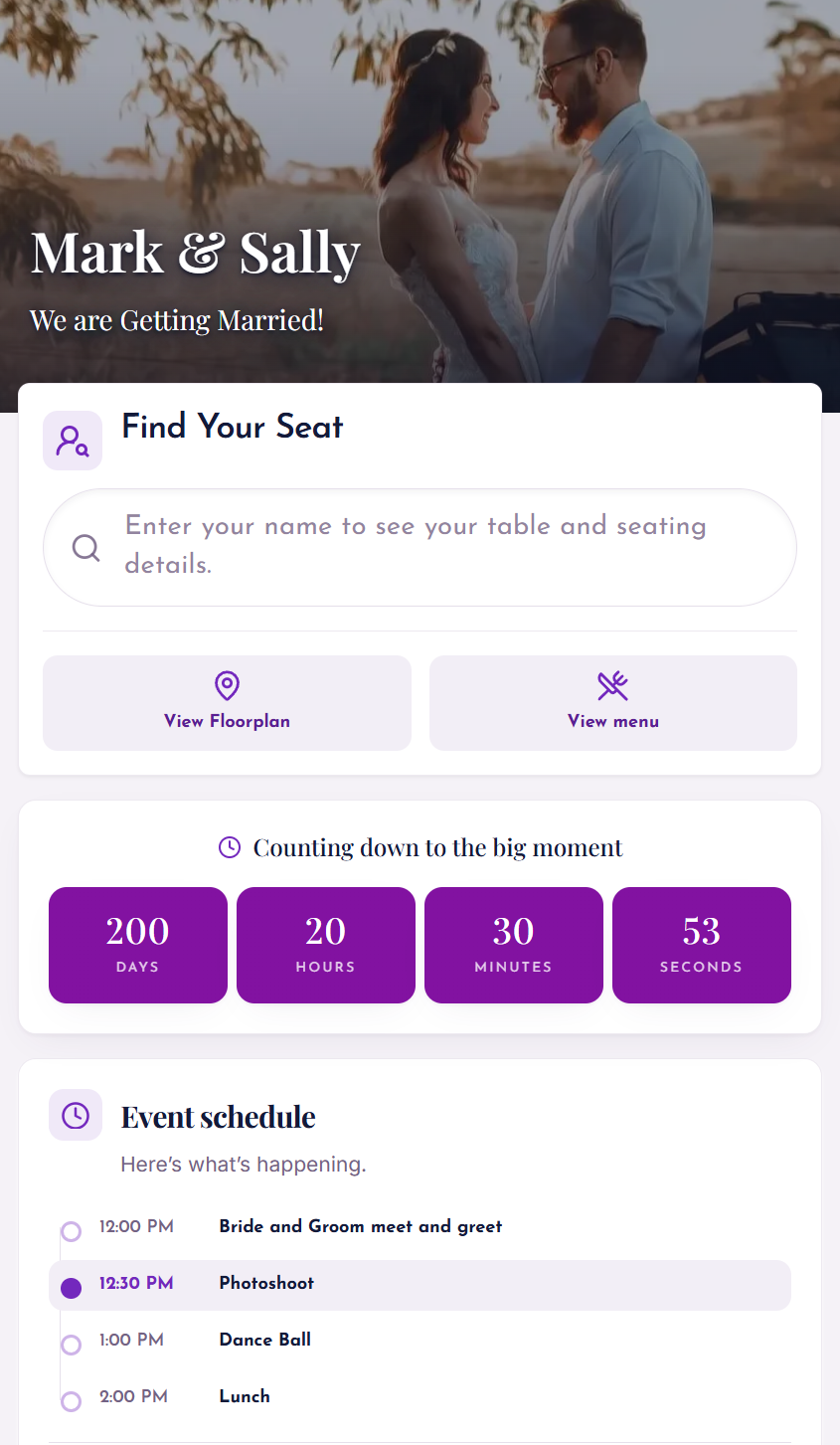
Extended Package — $99.99
- Everything in Standard, plus:
- Up to 1,000 guests
- Floorplan & menu upload
- Photo backgrounds
- Full event schedule
- Real-time check-in tracking
- Guest photo uploads (NEW)
- Priority support
Where to Place QR Code Signs
Even the best digital seating system can underperform if the QR sign is hidden.
For events with more than 150 guests, use two or three signs in different locations to spread guests out and prevent any single sign from becoming a bottleneck. A short line like "Scan to find your seat" is all guests need.
Tips for First-Time Users
Test before the event
Scan the QR code from multiple phones and confirm the seating page loads correctly. Do this a day or two before, not one hour before.
Use high contrast on the sign
A dark QR code on a light background scans faster and works better in venues with low lighting.
Brief the entry team
Even one or two greeters who know how to help a guest scan will reduce hesitation from older or less tech-familiar guests.
Keep a printed backup
A small printed list at the check-in station is a practical safety net for guests with a dead phone or no data connection.
Ask the MC to mention it
A simple announcement like 'Please scan the QR code near the entrance to find your seat' increases usage significantly.
Find Your Seat by QR Code — Pricing
One-time, non-refundable digital purchase. Both packages include the QR code, guest name search, and real-time updates.
Standard
$49.99
Up to 500 guests
- QR code seating chart
- Guest name search
- Real-time backend updates
- 5 templates, custom colors & fonts
Extended
$99.99
Up to 1,000 guests
- Everything in Standard
- Floorplan & menu upload
- Real-time check-in tracking
- Guest photo sharing
Find Your Seat by QR Code — Frequently Asked Questions
Including answers to "what does please find your seat mean" and how the QR experience works.
Explore More About Digital Seating
Digital Seating Chart
Learn how digital seating charts modernize event planning and guest management.
Read moreQR Code Seating Chart
Discover the full benefits of QR code-powered seating for any event size.
Read moreWedding QR Code for Photos
Let guests upload and share photos through the same QR code system.
Read moreA Smarter Way to Start Any Event
Finding a seat should be the easiest part of attending an event. With a QR code seating system, it usually is. Guests scan, search, and sit down without standing in a crowd or asking for help.
DigiSeats makes this possible for weddings, corporate events, galas, fundraisers, and any gathering where assigned seating is part of the plan. You can also use our system for wedding QR code photo sharing.
The result is a smoother entrance, a calmer start, and an event that feels organized from the moment guests walk in.