
Corporate Event Seating That Scales — From 50 to 1000 Guests
Replace escort card chaos and printed seating boards with a QR code your guests actually appreciate. Built for annual galas, awards dinners, conferences, and client events — with the real-time updates corporate planners need when half the C-suite RSVPs 48 hours out.
The Problem With Traditional Corporate Event Seating
You have 300 names on the RSVP list, a printed seating board ordered three weeks out, and the CFO's executive assistant just emailed at 4pm to say her boss is bringing a +1 and needs to be moved to the head table. The board at the venue still shows the old assignment. The escort cards in alphabetical order on the table outside the ballroom do not. Twelve other guests have also changed in the last 48 hours.
This is the everyday reality of corporate event seating. Printed boards cost $150 to $300 per reprint and take two business days. Escort card tables clog up the entrance as 200 people arrive in a 25-minute window. Dietary restrictions that were updated yesterday are not reflected anywhere the catering team can see. The VIP table got swapped on the dashboard but the printed program in everyone's swag bag still names the wrong sponsor.
The cost is not just printing. It is the 90 minutes your events coordinator spends on the phone with the print shop the day before. It is the awkward conversation with a sponsor whose company name is misspelled on the board. It is the bottleneck at the entrance that pushes the dinner program back 15 minutes and ripples into the AV team's overtime. A digital, QR-based seating chart eliminates every one of these failure points.
How DigiSeats Works for Corporate Events
A clear five-step process — built for HR coordinators, event managers, and executive assistants who need it to just work.
- 1
Create Your Event
Set up your corporate event in the DigiSeats dashboard in under 5 minutes. Name the event, set the date, and choose your package based on guest count.
- 2
Import Your Guest List
Upload your guest list directly from Excel or CSV. Include columns for company, department, dietary restrictions, and VIP status — everything maps cleanly into the dashboard.
- 3
Assign Tables by Department, Company, or VIP
Group guests by Sales, Engineering, or a partner company. Lock VIP and C-suite tables, hide sensitive placements with Anonymous View, and re-assign anyone in seconds.
- 4
Generate the QR Code Sign
Download a print-ready QR code sign file the moment your event is set up. Display at the registration desk, ballroom entrance, or pre-function area.
- 5
Guests Scan and Find Their Seat
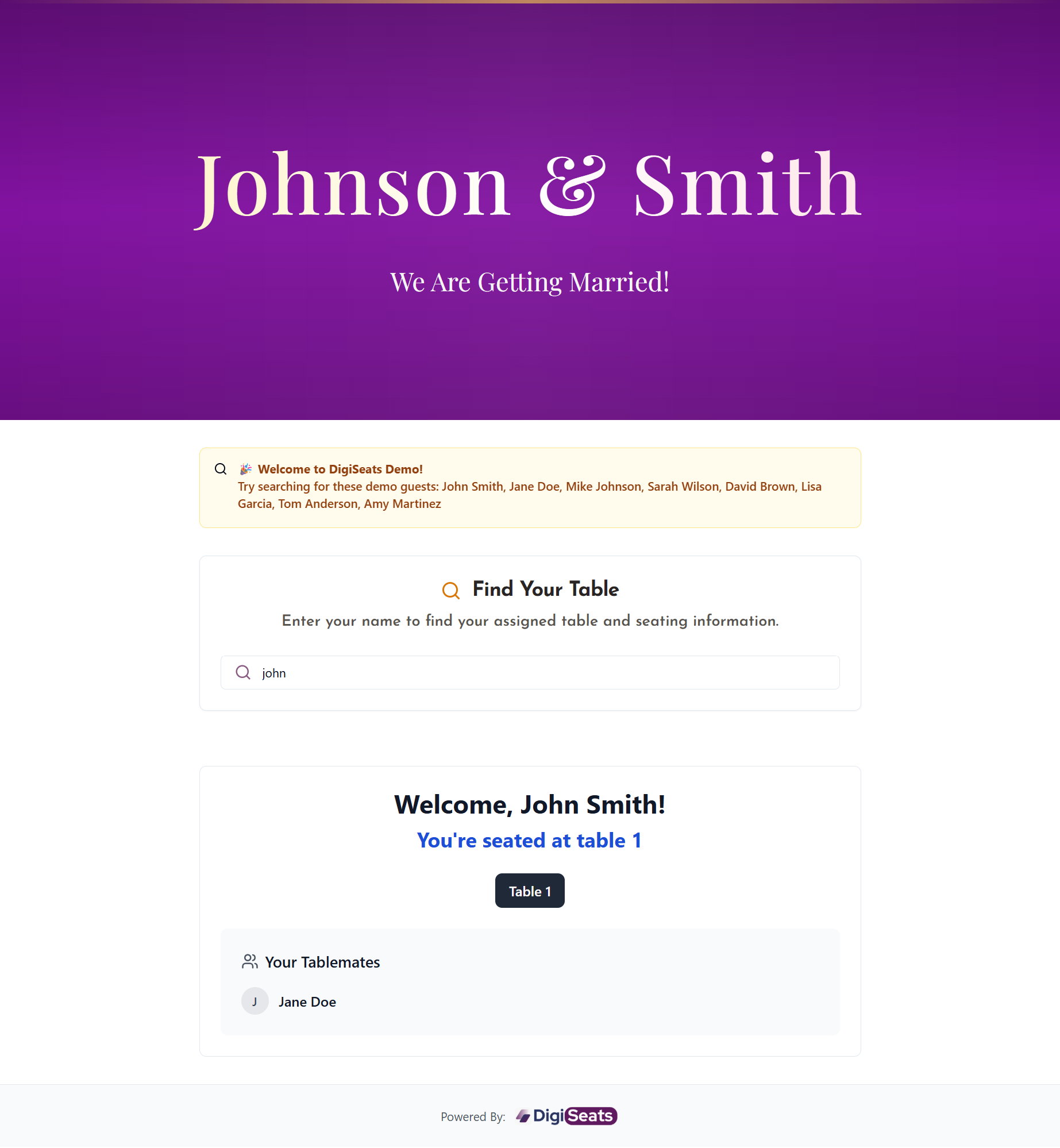
Attendees point their phone camera at the QR code, type their name, and see their table in under 3 seconds. No app to download, no line at the escort card table.
Curious how attendees experience it? See how guests find their seat with a single phone scan.
Perfect for Every Type of Corporate Event
One platform, every format — from a 40-person board dinner to a 1,000-person sales kickoff.
Annual Galas & Awards Dinners
Recognize top performers and present awards to a 300-person room without the escort card chaos. See our dedicated gala seating chart page for fundraising-specific guidance.
Holiday Parties & Team Offsites
Seat departments together — or deliberately mix them — for an offsite dinner. Real-time updates handle the inevitable last-minute plus-ones and travel cancellations.
Conferences with Dinner Sessions
Multi-day conferences with sit-down meals need seating that updates fast as breakouts and panels shift. One QR code per dinner session keeps it simple for attendees.
Client Appreciation & Partner Events
Group clients by account team or partner company at intimate dinners. VIP table control protects relationship-sensitive placements without anyone noticing the mechanics.
Sales Kickoffs & All-Hands
Large internal events with seating by region, division, or pod. Excel-friendly import means your sales ops team's existing roster goes straight into DigiSeats without rework.
Board Dinners & Executive Retreats
Smaller, higher-stakes events where seating matters intensely. Anonymous View and last-minute reassignment keep protocol intact without anyone seeing the dashboard.
Features That Make Corporate Event Seating Easy
Every feature targets a real corporate event pain point — at the scale corporate events actually run.
Supports Up to 500+ Guests
Built for the scale of real corporate events — annual dinners, sales kickoffs, partner conferences. Extended supports 1,000+ guests for company-wide galas.
Real-Time Updates for Late RSVPs
The corporate event reality: half the C-suite confirms 48 hours before. Update the dashboard, the change is live instantly — no reprinting the seating board.
Excel and CSV Import
Upload your existing guest list exactly as it lives in your HR system or event spreadsheet. No data entry, no rebuilding the list inside another tool.
VIP and Executive Table Control
Anonymous View hides sensitive placements — board members, surprise guests, executive +1s — from the public name list while still routing them to the correct table.
Dietary Restriction Tracking
Track dietary requirements at the table level so your catering team knows exactly how many vegetarian, gluten-free, and kosher plates land at each table.
No App for Guests
Corporate attendees range from junior associates to retired board chairs. DigiSeats opens in any phone browser — if the camera can scan, it works.
Shareable Editor Access (Extended)
Add your co-planners, executive assistants, or vendor team as editors. Everyone works from the same live guest list — no email-attached Excel files going stale.
Branded Event Page
Add company colors, fonts, sponsor logos, and an agenda so the guest-facing page matches the rest of your event production — not a generic seating tool.
Assign Seats by Department, Company, or VIP Status
Corporate event seating is rarely random. Sales sits with Sales. Acme Corp's account team sits with Acme Corp. The C-suite, the board, and key partners sit at the head tables. DigiSeats handles this with table naming and grouping — you name tables anything you want (Table 1 — Engineering, Table 2 — Engineering, Table 8 — Acme Corp, Table 12 — VIP) and assign guests by their existing role data in your Excel import.
For client appreciation dinners and partner events, this means each account team can be clustered together without your guests ever seeing the mechanics. For sales kickoffs, regional pods can be pre-built and locked weeks in advance. For board dinners with strict protocol, Anonymous View hides sensitive placements from the public name search while still routing each board member to the correct seat when they scan.
The dashboard supports filter and bulk-move actions — drag a whole department to a different room, swap two tables in one click, or re-seat a 50-person table block when the venue's room layout changes the day before. This is the workflow that separates a corporate-grade seating system from a wedding tool repurposed at scale.
What Corporate Planners Love About DigiSeats
"For events like an annual partner appreciation dinner — 280 guests, 12 partner companies, three rounds of dietary updates in the final week — DigiSeats removed the single biggest source of stress: the printed board. Late RSVPs went from a $200 reprint emergency to a two-minute dashboard edit. The CFO's last-minute table change happened while she was already in the cocktail hour. Nobody at the entrance noticed anything except how fast they found their seat."
— Composite scenario based on real corporate event use cases. We will replace this with named testimonials as we collect them from launch customers.
Corporate Event Pricing — One-Time Payment, No Subscription
Three packages sized for every event budget — from team dinners to company-wide galas.
Free
Up to 50 guests
Guest name search, print-ready QR code sign file, real-time updates. Ideal for board dinners, executive offsites, and small client gatherings.
Plan Your Event FreeStandard
Up to 500 guests · One-time
Full QR code sign, CSV/Excel import, unlimited real-time updates, Anonymous View, branded colors. The right fit for most corporate dinners and awards nights.
Order StandardExtended
Up to 1,000+ guests · One-time
Everything in Standard plus venue floorplan, agenda, dinner menu, check-in tracking, multi-editor access, and full branded event page. Built for large conferences and company-wide events.
Order ExtendedOne-time payment per event. No annual contract. Guest list updates included at no extra cost. Need a multi-event arrangement? Request a custom quote. Also planning a fundraiser? See our gala seating page.
Frequently Asked Questions
Plan Your Next Corporate Event in 10 Minutes
One-time payment. No contract. No onboarding call. Free for up to 50 guests — try it before your next planning meeting.