
What Is a Digital Seating Chart? (And Do You Need One?)
If you typed some version of this question into Google, you are probably a few weeks into planning an event and someone mentioned a digital seating chart in passing. Maybe a friend used one at their wedding. Maybe a wedding planner brought it up. Maybe you just got tired of looking at your Excel spreadsheet and started wondering if there was a better way.
There is. But whether it is the right move for your specific event depends on a few things worth understanding before you spend anything or commit to a tool.
This post answers the question completely and honestly, including the part where a digital seating chart is probably not worth it for you.
What a Digital Seating Chart Actually Is
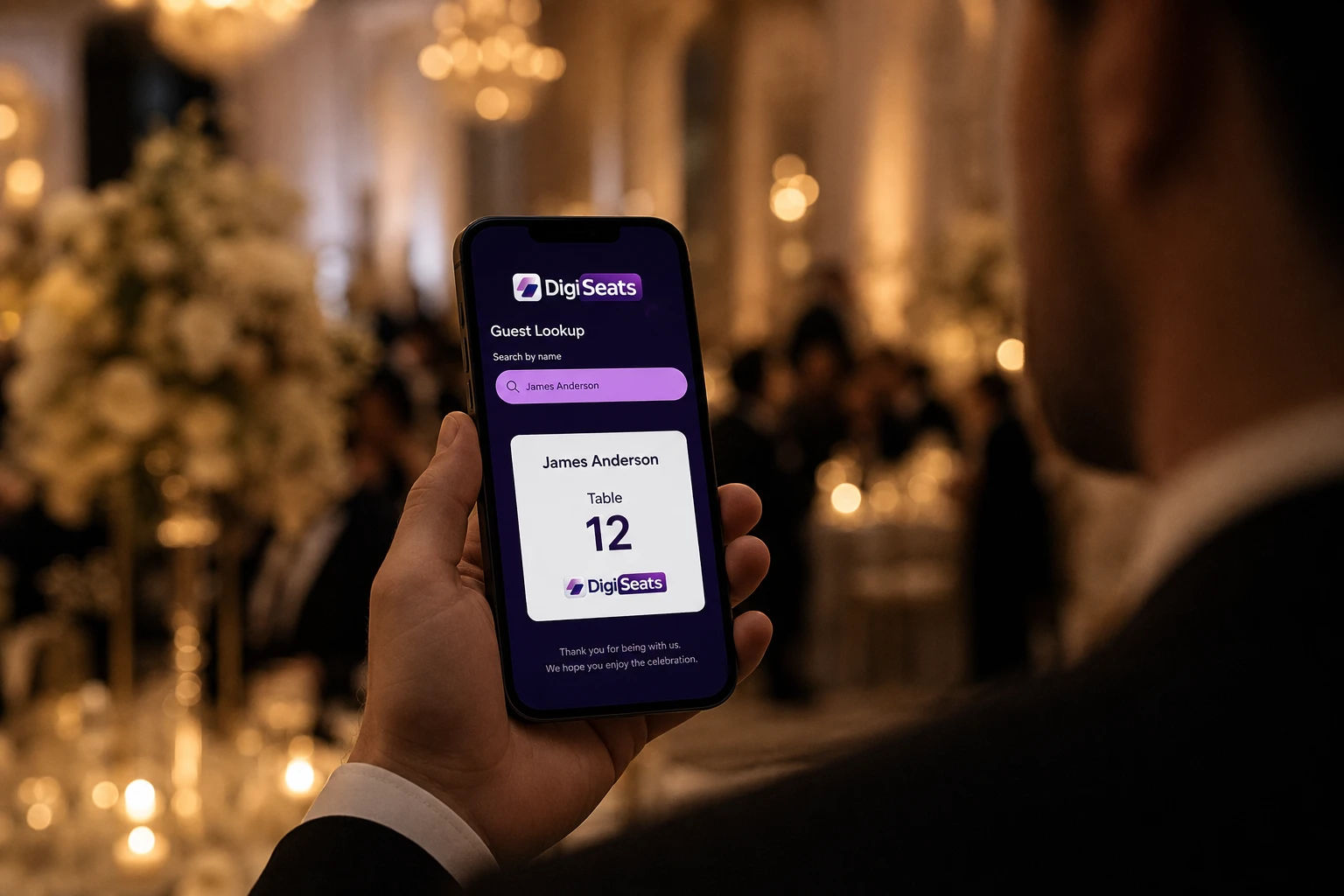
A digital seating chart is a browser-based guest lookup system that replaces the printed seating display at your event entrance.
Instead of mounting a poster or foam board near the door, you display a single QR code. Guests scan it with their phone camera when they arrive, type their name into a search field, and instantly see their table number and seat assignment. No app download. No account creation. No waiting in line while someone reads names off a clipboard.
That is the core of it. Everything else, guest photos, event schedules, menus, check-in tracking, is additional functionality that different platforms layer on top of the basic lookup experience.
The host manages everything through a backend dashboard. Guest list changes go live immediately. If someone cancels the night before the wedding or a plus one gets added at the last minute, you update the list from your phone and it is reflected instantly. The QR code displayed at the entrance never changes, which means nothing ever needs to be reprinted.
How It Works in Practice
The setup process is simpler than most people expect.
You start with your guest list in a spreadsheet, which most people already have. You upload that file to the platform, assign table numbers to each guest, and choose a visual template for the guest-facing page. The platform generates a unique QR code linked to your event. You print that code on a sign, add it to your invitation, display it on a screen at the entrance, or all three.
On the day of the event, guests arrive, scan, search their name, and walk directly to their table.
The whole setup process, from uploading the guest list to having a QR code ready to print, takes somewhere between ten minutes and an hour depending on how much customization you want and how clean your guest list already is.
If you want to see exactly what the guest experience looks like before committing to anything, DigiSeats has a live demo you can walk through right now: Try the Extended Package Demo. Type any name from the demo list and you will see the full guest view, table assignment, menu, schedule, and all.
What Makes It Different From a Printed Seating Chart
The printed seating chart has been the standard for decades and it works, until it does not. Here is where it tends to break down.
It cannot be updated after printing. This is the biggest problem. Guest lists change right up until the day of the event. Someone cancels. A plus one gets added. A table gets reshuffled. With a printed chart, any change after the file goes to print means either a reprint or a manual workaround on the day.
It creates a crowd. A single printed display near the entrance becomes a bottleneck. Every guest stops, searches the list, and steps away slowly while the next person moves in. At 80 guests this is manageable. At 200 it creates a queue that backs up through cocktail hour.
Readability falls apart at scale. A seating chart that looks clean on a laptop screen often has text too small to read from standing height once printed, especially for guests who need reading glasses.
There is no record of who actually showed up. A printed chart tells you who was assigned a seat. It tells you nothing about attendance. For events where per-head catering costs matter or where you need a post-event attendance report, that gap is significant.
A digital seating chart solves all four of these problems by design. The list is always current, the entrance stays clear because guests can search from anywhere in the room, the text is readable on a personal phone screen, and platforms with check-in tracking give you a real-time record of actual attendance.
Who Actually Needs One
Here is the honest answer: not everyone.
You probably do not need a digital seating chart if:
Your event has fewer than 50 guests and everyone knows each other well enough that seating is loose. A handwritten card on each place setting is enough. A digital system adds setup time without meaningfully improving the experience at that size.
Your event has no assigned seating at all. Digital seating charts are built around table assignments. If your event is open seating, there is nothing for the system to do.
Your guests skew heavily toward older demographics who are not comfortable with smartphone technology. This is less of a barrier than it used to be, but if a significant portion of your guest list genuinely struggles with phones, you will need a backup system regardless of which digital tool you use.
You probably do need one if:
Your event has more than 100 guests with assigned seating. At this scale, the entrance bottleneck becomes a real problem and the ability to update the list right up until the day is worth the setup time alone.
Your guest list is still shifting in the final weeks before the event. This describes almost every wedding and most large corporate events. The real-time update capability is the feature that saves the most stress in the last 72 hours before the event.
You want the entrance experience to match the quality of everything else you have planned. A foam board near the door is a visible reminder that not everything got the same attention. A clean QR code sign in your event aesthetic is a detail that guests notice.
You are collecting guest photos, tracking attendance, or sharing event information like menus and schedules through a single touchpoint. These are things a digital seating chart platform can handle through the same QR code, which removes the need for separate tools.
What It Costs
Pricing varies by platform and guest count but the general range in 2026 is:
Free tiers exist on most platforms and typically cover up to 50 guests. Functionality is limited but enough to test the experience before an event.
Mid-range plans covering up to 500 guests run between $40 and $100 per event on most platforms. DigiSeats Standard sits at $49.99 for up to 500 guests and includes real-time editing, customizable templates, and backend login.
Full-featured plans covering up to 1,000 guests with check-in tracking, guest photo uploads, menus, schedules, and priority support run around $99.99 on platforms like DigiSeats Extended. Additional guests beyond 1,000 are typically available at an extra cost per block.
Compare that to the cost of designing and printing a professional seating poster, which ranges from $50 to $200 depending on size and print quality, and you are looking at roughly the same investment for a tool you can update in real time versus a document that is fixed the moment it leaves the printer.
What Happens on the Day
This is the part couples and event managers rarely think about in advance but feel the difference of immediately.
With a printed seating chart, the entrance experience is entirely dependent on how well the chart was designed and how clearly it can be read. One change to the guest list in the final days means a decision: reprint or manage it manually on the day.
With a digital seating chart, the entrance experience is consistent regardless of last-minute changes. Guests scan, search, and walk to their table. The host can update the list from a phone right up until doors open. If a name is missing, it takes thirty seconds to add.
For the Extended-tier features specifically, the check-in dashboard gives event managers real-time visibility into arrivals. You can see at 7:10 PM that 280 of your 350 guests have checked in, identify which VIP tables still have empty seats, and make informed decisions about when to start the program rather than guessing based on how the room looks.
After the event, if your platform supports guest photo uploads, those photos are typically packaged into a downloadable ZIP file. Check your platform's storage window because most delete files within 10 to 14 days of the event date.
The Questions Worth Asking Before You Choose a Platform
Not all digital seating chart tools are the same. Before committing to one, the answers to these questions matter:
Does it require guests to download an app? It should not. Any friction at the entrance undermines the point of having a faster system.
Can you update the guest list after the QR code is already printed? This is non-negotiable. If a change requires generating a new QR code, you lose the core benefit.
What happens if the venue WiFi is unreliable? Most platforms run on lightweight browser pages that load on mobile data. Test the page on your phone before the event.
What support is available in the days before the event? Check-in week is when things go wrong. Know whether your platform offers email only, chat, or priority support and whether the response time fits your timeline.
Is there a demo you can actually walk through? A platform that cannot show you the guest experience before you pay is asking for a lot of trust. Look for a live demo with real functionality, not a screenshot.
Is It Worth It
For events over 100 guests with assigned seating, almost always yes. The combination of real-time editing, faster guest flow at the entrance, and the elimination of the reprint problem makes the investment straightforward.
For smaller events or open-seating formats, the answer depends on what else you want the QR code to do. If you are also collecting guest photos, sharing a menu, or tracking check-ins, the platform earns its cost even at a smaller guest count because it is replacing multiple separate tools.
For anyone still unsure, the fastest way to form an opinion is to actually use one. The DigiSeats Extended demo is live and interactive: Walk through it as a guest would on the day of the event and you will know within sixty seconds whether this is the right fit for your event.
DigiSeats offers a free plan for up to 50 guests and paid plans starting at $49.99. No credit card required to start.